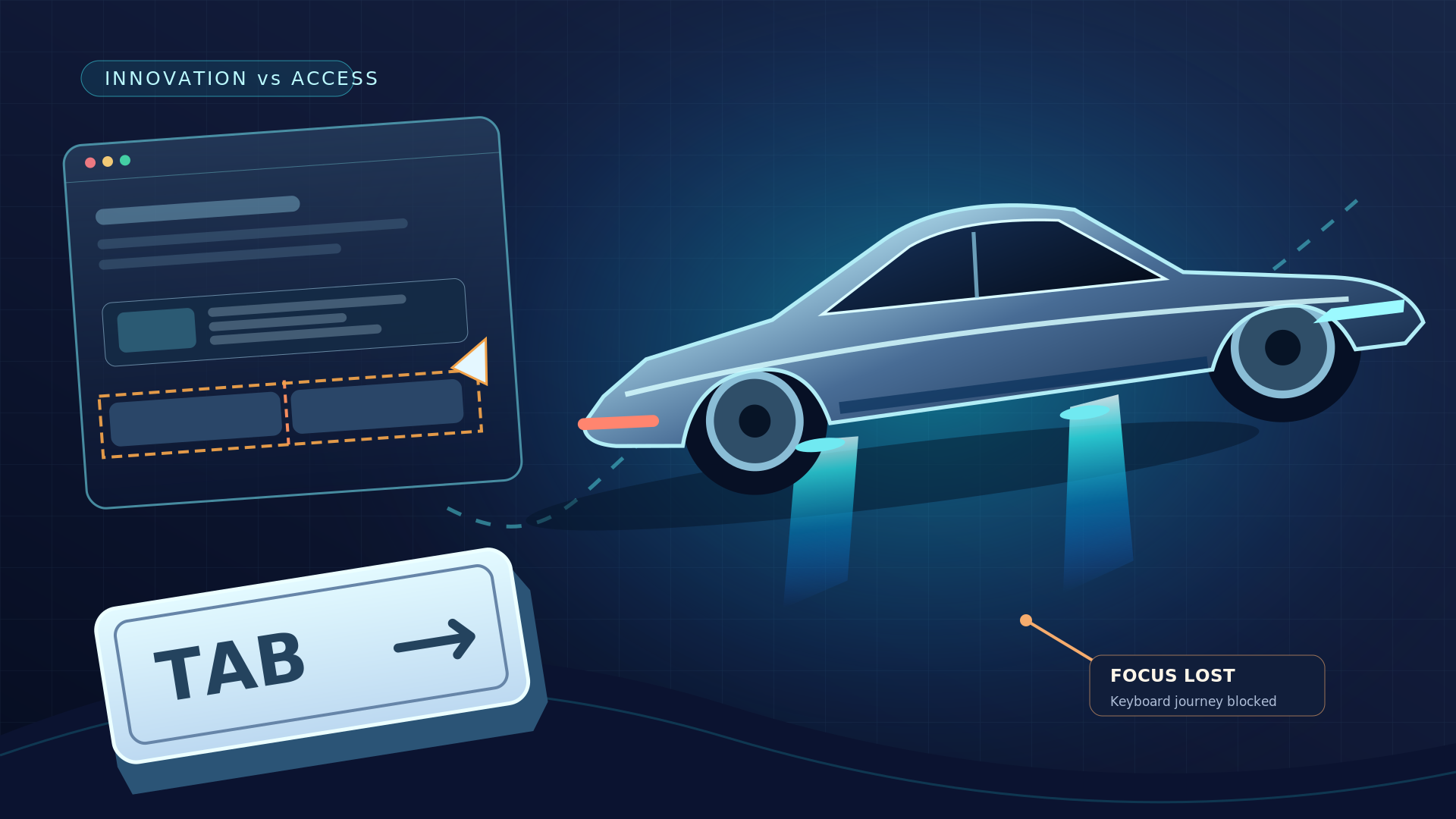
On October 15, 2026, Tesla unveiled a new Roadster prototype with a spectacular demonstration: an electric sports car drove upside down along a specially constructed ramp, briefly left the ground, used air-powered thrusters to turn in midair, and landed. It was a striking example of how far engineers are willing to push the limits of a familiar product.
Then comes an awkward question for the rest of the technology industry: if we can make a car perform an airborne stunt, why do so many everyday websites still struggle with something as simple as the Tab key?
The comparison is deliberately provocative. Building a rocket-assisted vehicle and building an accessible website are different engineering problems. But they reveal a shared truth: technical ambition means little if people cannot reliably use the product in front of them.
What Tesla actually demonstrated—and what it did not
The next-generation Roadster was demonstrated at a SpaceX facility in Texas on October 15. Reporting from Reuters and TechCrunch describes a prototype using a combination of high-powered fans and thrusters for unusual maneuvers. The vehicle was shown making a short airborne movement, not transporting passengers through sustained, routine flight.
Tesla has described plans for production in 2028, but that remains a future target. The demonstration was a technological spectacle—not evidence that consumers can buy a road-legal flying car today.
That distinction matters, especially in a world where videos move faster than context. But even with the caveat, the achievement makes a powerful metaphor: we are designing technology to do extraordinary things while basic usability often remains unfinished.
The Tab key is a tiny test with enormous consequences
The Tab key is how many keyboard users move between interactive elements on a webpage. Along with Shift+Tab, Enter, Space, the arrow keys, and other standard interactions, it is essential for people who cannot use a mouse or prefer keyboard navigation.
Try a simple experiment on your own website: put your mouse aside. Open the main navigation, find a service, follow its link, complete the contact form, recover from an error, and submit your request. Can you see which element has focus? Does the focus order make sense? Can you dismiss a popup and continue where you left off?
If the answer is no, your website may fail an important real-world task even while every animation, hover effect, and conversion funnel looks perfect in a design presentation.
The relevant standard is not obscure. WCAG 2.2 Success Criterion 2.1.1 (Keyboard) addresses keyboard operability, while 2.4.7 (Focus Visible) addresses visible keyboard focus. These are foundational requirements, not exotic edge cases.
Five ordinary web problems that impressive technology cannot excuse
1. The disappearing focus indicator
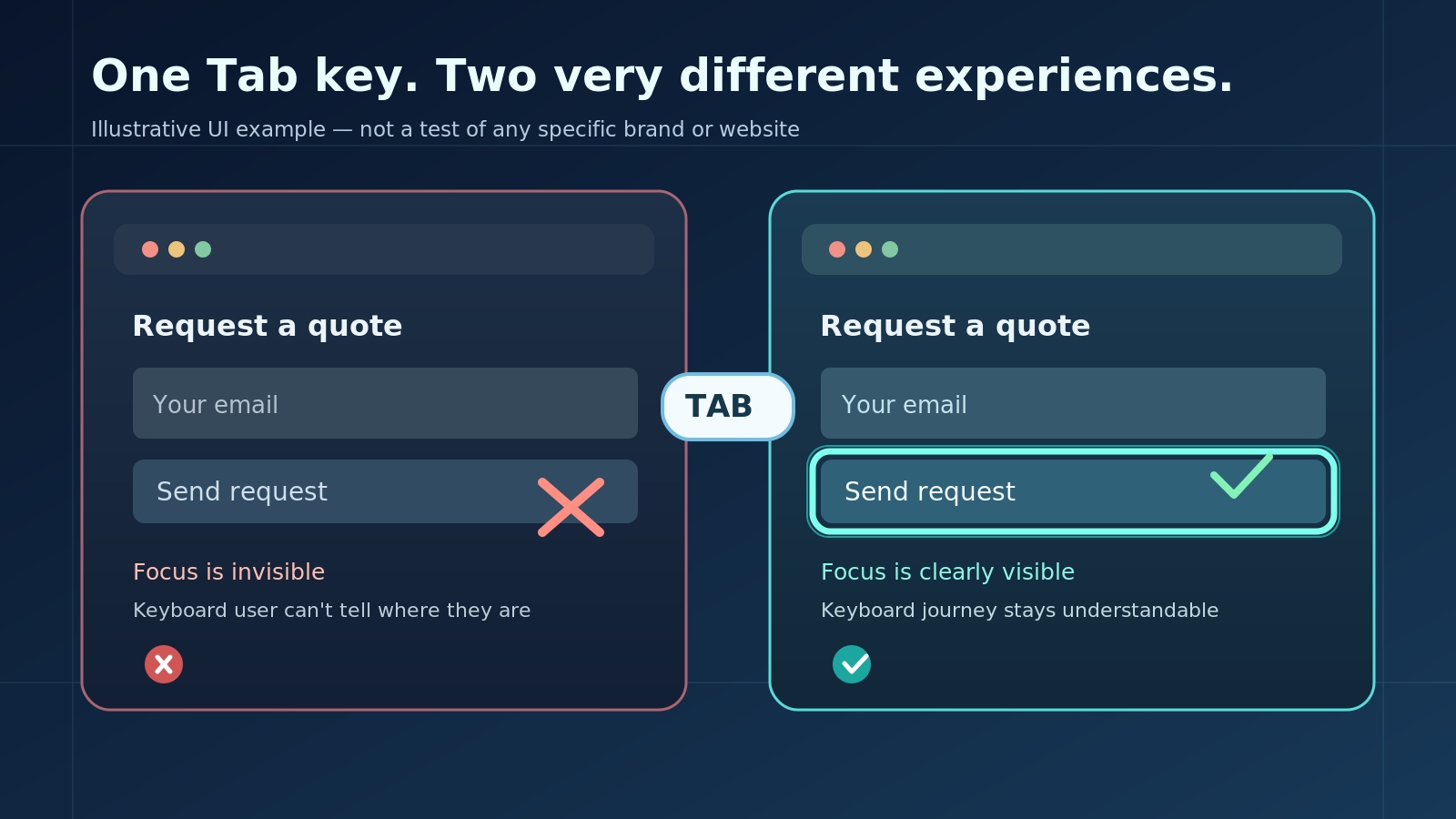 Illustrative example: visible focus lets keyboard users identify the active control.
A designer removes the browser's default focus outline to make a button look cleaner. Suddenly a keyboard user can still press Tab but cannot tell where they are. Add a sticky header or overlay, and the focused element may disappear behind content altogether.
The fix is not a fashionable animation; it is a visible, consistent focus state that survives real layouts and does not get hidden behind author-created elements. This is why WCAG 2.2 Focus Not Obscured (Minimum) also matters.
2. A menu built for a mouse, not a person
Some dropdown menus open on hover but never expose the same content through keyboard interaction. Others can receive focus but provide no indication of whether the menu is expanded. The result is navigation that works for one interaction method and becomes a dead end for another.
Good navigation starts with semantic links and buttons, meaningful labels, logical focus order, and keyboard behavior appropriate to the component—not with an extra script that tries to simulate usability after the fact.
3. A form that shows an error but does not explain it
Imagine typing your details into a request form, pressing Submit, and hearing nothing useful. A red border appears around one field, but a screen reader does not announce the error and the keyboard focus remains somewhere unrelated.
This is not merely a compliance checkbox. It can prevent visitors from contacting a business, completing a purchase, registering, or receiving support. Our guide to accessible forms and error recovery explains how these failures appear in real interfaces.
4. A shopping cart that updates silently
For a sighted shopper, pressing “Add to cart” may trigger a toast notification and an updated number beside the cart icon. If that change is not communicated to assistive technology, a blind user may have no reliable way to confirm whether the product was added.
Dynamic status messages, meaningful button names, and well-managed focus can be essential for task completion. WCAG 4.1.3 (Status Messages) addresses relevant programmatic communication. An interface should not require someone to guess whether an action succeeded.
5. A fancy component with no understandable name or state
Carousels, date pickers, filters, tabs, dialogs, and custom selectors can all look advanced on screen while failing to expose a useful name, role, value, or state to a screen reader. Developers may focus on visual polish without testing what assistive technology actually announces.
The solution is usually better semantic structure, suitable native controls, carefully implemented ARIA where necessary, and real screen reader testing with NVDA, JAWS, and VoiceOver.
Accessibility is an engineering challenge—not a finishing touch
 Accessible interaction design is an engineering responsibility, not a visual afterthought.
The Tesla demonstration drew attention because teams engineered a complex system to behave in ways a car normally cannot. Websites also rely on systems working together: design systems, HTML semantics, browser accessibility APIs, JavaScript interactions, screen readers, forms, and backend responses.
When these layers are built without accessibility in mind, problems multiply. A perfectly coded button with an unclear label can still be unusable. A technically valid form can still be frustrating. A visually impressive dialog can still trap a keyboard user or lose focus when it closes.
There is an encouraging difference: many of these web barriers can be found early through comparatively straightforward tests. They do not require rocket propulsion. They require deliberate product decisions, a repeatable testing process, and accountability for real user journeys.
A five-minute Tab-key challenge for your website
Open a representative page and try this quick test before your next release:
- Start at the top. Press Tab and confirm that focus becomes visibly clear.
- Move through navigation. Open and close menus using the keyboard, then follow an actual link.
- Reach a call to action. Check that button and link labels still make sense without visual context.
- Use a real form. Submit incomplete information and verify that errors are explained and recoverable.
- Complete the journey. Confirm that success messages, dialogs, or cart updates are understandable and do not leave focus in a confusing location.
Passing these steps does not establish WCAG conformance. It is a practical first screen for obvious keyboard problems. A fuller evaluation requires more platforms, assistive technologies, WCAG criteria, and representative workflows. Our automated vs manual accessibility testing comparison explains why one scanner or one quick test is never enough.
How to move from a flashy website to a usable one
 Keyboard and screen-reader tests should follow real tasks such as navigation, forms, and checkout.
Start with the workflows that matter most to customers: navigation, registration, checkout, booking, contact forms, search, and account management. Test those flows with a keyboard, then with representative screen-reader and browser combinations. Record actual barriers and the steps to reproduce them. Fix the underlying interaction, then retest the same task.
Accessibility works best when it is part of regular engineering quality, not a last-minute overlay or a certification badge. The most persuasive proof is not that a site claims accessibility; it is that real people can actually use it.
Innovation should move everyone forward
A prototype Roadster briefly lifting off the ground is exciting. But the future of technology should not be measured only by the most spectacular thing a product can do. It should also be measured by the ordinary things it allows people to accomplish.
A car can leave the ground for a moment. A website should at least let someone press Tab and keep going.
At ADA Access Group, our website accessibility audits combine automated checks with manual keyboard and screen-reader testing of real user journeys. We document barriers, explain their impact, and provide actionable findings for remediation and retesting. If your website looks advanced but you are not sure whether people using assistive technology can complete its most important tasks, talk to our team about an accessibility audit.