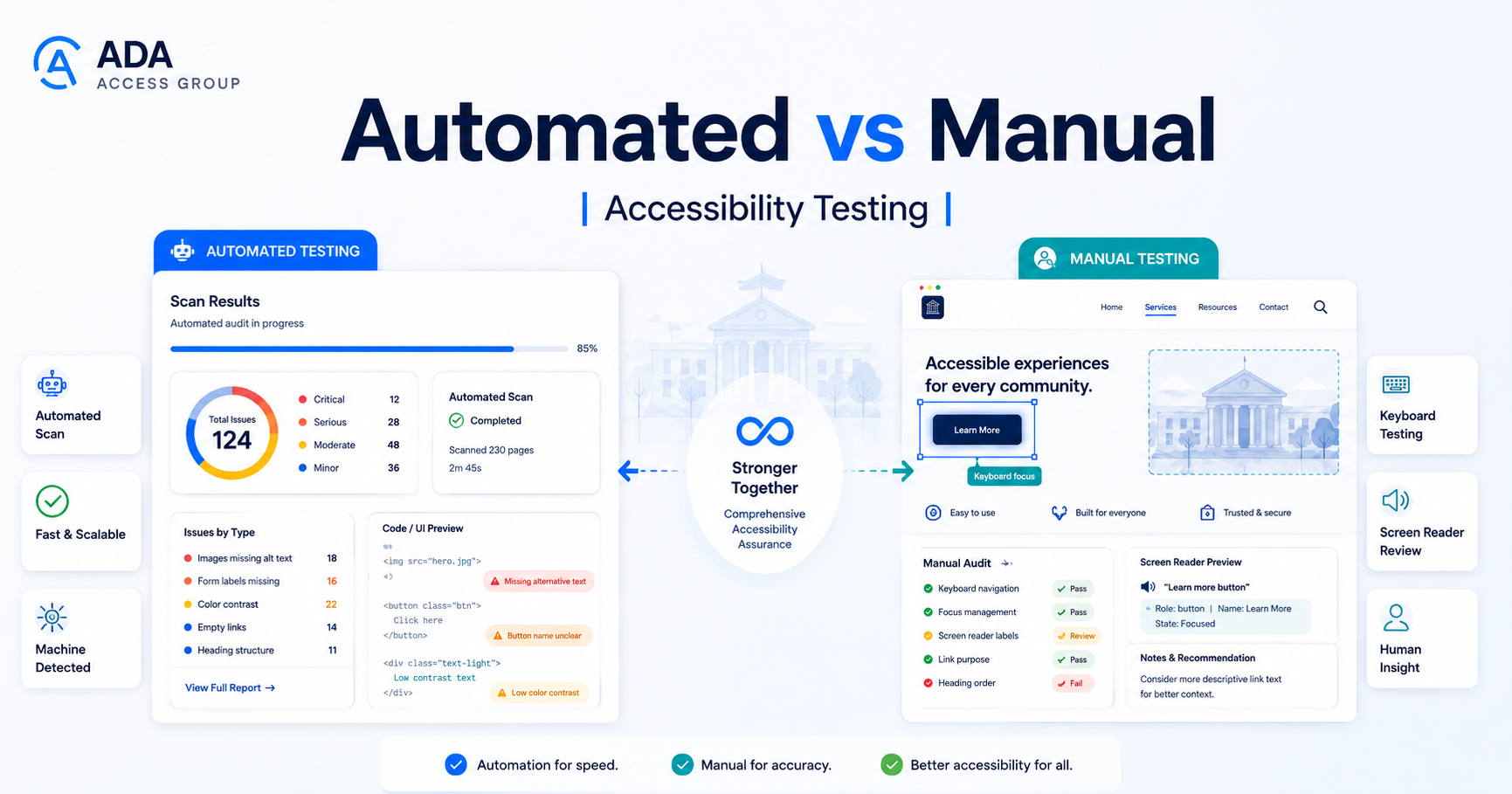
Automated accessibility testing and manual accessibility testing are not substitutes for one another. Automated tools are effective at finding certain technical patterns quickly and consistently, while manual testing is necessary for accessibility requirements that depend on context, interaction, and human judgment.
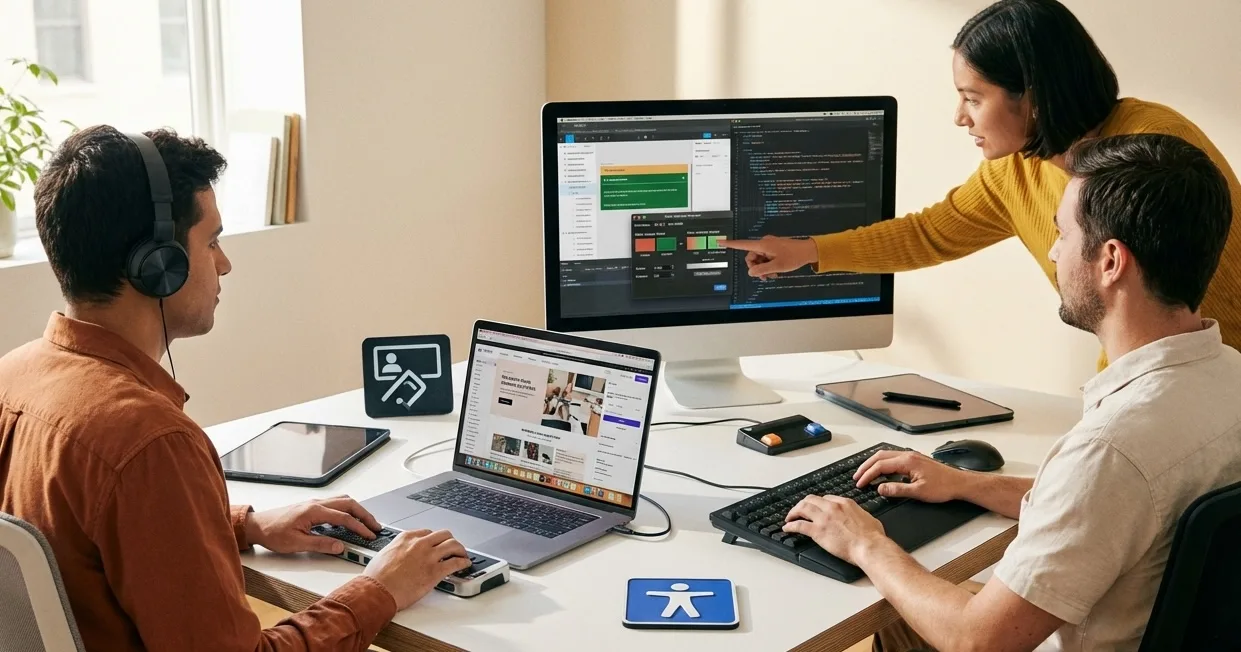 Automated findings become more useful when they are validated through human interaction and review.
A meaningful website accessibility evaluation normally uses both.
W3C guidance is clear that no automated tool alone can determine whether a website meets accessibility standards. Tools can assist with evaluation, but knowledgeable human review is required for a complete accessibility assessment.
What Is Automated Accessibility Testing?
Automated accessibility testing uses software to inspect code, rendered pages, or interface states for patterns associated with accessibility requirements.
Common tools can be integrated into browsers, development environments, CI/CD pipelines, QA systems, monitoring platforms, and website scanning services.
Examples include tools built around accessibility rule engines as well as products such as axe, WAVE, Lighthouse, and other evaluation platforms. Mentioning a tool does not mean that every tool tests the same criteria or provides equivalent results.
The main strength of automation is scale. A rule that can be reliably evaluated by software can often be checked across many components or pages much faster than a person could review them individually.
What Automated Testing Can Find
Exact capabilities vary by tool, but automated testing can help identify potential issues such as:
- images missing alternative-text attributes;
- certain form controls without programmatically associated labels;
- some color-contrast failures;
- duplicate IDs and markup conditions;
- some invalid or inappropriate ARIA usage;
- certain heading and landmark issues;
- buttons or links without accessible names;
- some document-language problems;
- certain structural issues; and
- other machine-testable accessibility patterns.
The wording potential issues matters. Automated results still need interpretation.
Why an Automated Scan Is Not a Complete Accessibility Audit
Accessibility is not only a property of source code. It is also about whether a person can perceive information, understand an interface, navigate it, operate controls, recover from errors, and complete the task the product is designed to support.
Many of those questions cannot be answered reliably by a rule engine.
For example, software may confirm that an image has alternative text but may not be able to determine whether the text accurately communicates the image's purpose in that context.
A tool might identify that a button has an accessible name but still not determine whether that name makes sense to a user encountering the control within a particular workflow.
Likewise, automation cannot fully determine whether a complex interface remains understandable as keyboard focus moves through dynamic states.
What Automated Testing Commonly Misses
Manual review is particularly important for areas such as:
- logical keyboard focus order;
- keyboard traps;
- focus management when dialogs open or close;
- whether visible focus is understandable during a complete interaction;
- accuracy and usefulness of alternative text;
- meaningfulness of accessible names;
- screen-reader announcements after dynamic updates;
- whether custom components expose correct roles, names, states, and values;
- whether form instructions make sense;
- whether error messages explain how to correct a problem;
- whether a complete transaction can be performed without a mouse;
- whether content order remains logical when presented through assistive technology;
- complex authentication behavior;
- timing and interaction requirements; and
- accessibility of complete user journeys.
This is why a clean automated report should never be described as proof that a page or website is fully accessible.
What Is Manual Accessibility Testing?
Manual accessibility testing is evaluation performed by a knowledgeable person interacting with the website or application and reviewing accessibility requirements that cannot be determined automatically.
Manual testing can involve ordinary browsers, keyboards, screen readers, browser zoom, platform accessibility settings, developer tools, accessibility inspectors, and other assistive technologies.
It also requires judgment. The tester needs to understand what the interface is trying to accomplish, which WCAG success criteria are relevant, and how a barrier affects the user's ability to complete a task.
Manual Keyboard Testing
Keyboard testing is one of the most valuable manual checks for web interfaces.
A tester should evaluate whether important functionality can be operated without requiring a mouse or pointer and whether the resulting focus behavior is usable.
Questions include:
- Can every important interactive control be reached?
- Can menus be opened and operated?
- Can dialogs be opened, used, and closed?
- Is focus visible?
- Does focus move in a logical sequence?
- Does focus become trapped anywhere unexpectedly?
- Can custom widgets be operated using expected keyboard interactions?
- When content changes, is focus handled appropriately?
These questions become especially important on sites with menus, checkout flows, reservation systems, account dashboards, filtering controls, carousels, dialogs, and custom JavaScript widgets.
Manual Screen-Reader Testing
Screen-reader testing helps evaluate how page structure and controls are exposed through assistive technology.
A reviewer may check:
- page title and document language;
- heading structure;
- landmarks and regions;
- links;
- buttons;
- forms;
- tables;
- images;
- custom controls;
- dialogs;
- notifications;
- validation errors;
- expanded and collapsed states; and
- dynamic updates.
The objective is not simply to confirm that a screen reader produces sound. The tester needs to determine whether the information presented through assistive technology is sufficiently meaningful to operate the interface.
Forms Require More Than a Label Check
Automated testing can detect some missing programmatic labels, but accessible forms require a broader evaluation.
Manual testing should consider whether:
- labels accurately identify each field;
- required fields are communicated appropriately;
- instructions appear at the correct time;
- field groups are understandable;
- errors identify the affected field;
- errors explain how to correct the problem;
- assistive technology receives the error information;
- focus is handled appropriately after validation; and
- the form can be completed from beginning to end.
Dynamic Interfaces Need Human Review
Modern websites frequently update content without loading a new page. Shopping carts change, filters update results, dialogs appear, status messages are inserted, and controls change state.
An automated tool can evaluate some properties of those components, but the complete interaction often needs manual review.
A tester should determine whether users receive enough information to understand:
- what changed;
- where keyboard or screen-reader focus moved;
- what action is now available;
- whether the previous interaction succeeded; and
- how to continue.
Automated Testing vs Manual Testing: What Is Each Best For?
| Check | Scanner | Manual testing |
|---|---|---|
| Keyboard | Can flag some technical patterns, but cannot prove the full workflow is operable. | Verify every critical control works from the keyboard, with logical order and no traps. |
| Screen reader | Can detect some semantic issues, but cannot judge the complete spoken experience. | Verify names, roles, states, announcements, and task completion with a screen reader. |
| Focus | May flag some focus-related code conditions, but has limited context. | Verify visible focus, logical focus order, and focus movement after dialogs or dynamic updates. |
| Meaningful alt text | Can detect a missing alt attribute, but not whether the text is meaningful for the image’s purpose. | Judge the image in context and confirm the alternative text communicates the right information. |
Automated testing is particularly useful for:
- quick initial discovery;
- large-scale scanning;
- repeatable machine-testable rules;
- developer feedback during implementation;
- regression checks;
- monitoring recurring patterns; and
- identifying candidate pages for deeper review.
Manual testing is particularly useful for:
- keyboard accessibility;
- screen-reader behavior;
- focus order and focus management;
- custom widgets;
- forms and error handling;
- meaningfulness of text alternatives and labels;
- dynamic interfaces;
- critical user journeys; and
- requirements that depend on human judgment.
The best process is not to choose one method over the other. It is to use each method where it is strongest.
What About User Testing With People With Disabilities?
User testing can provide insights that formal conformance testing may not reveal, especially around usability, clarity, efficiency, and real-world assistive-technology behavior.
However, user testing and WCAG conformance evaluation are not the same activity.
A participant's successful experience with a particular workflow does not prove that every relevant WCAG success criterion has been met. Similarly, a WCAG-focused audit cannot represent the full range of experiences of every person with a disability.
Mature accessibility programs can benefit from both structured standards-based evaluation and user research with people with disabilities.
Why Testing Only the Homepage Is Not Enough
Websites usually contain multiple templates, components, and workflows.
A homepage might perform well while an account registration form, checkout flow, booking widget, PDF library, search interface, or third-party portal contains major barriers.
An accessibility audit should therefore define an appropriate scope.
Depending on the site, the sample may include:
- homepage;
- navigation patterns;
- content templates;
- contact forms;
- registration;
- login;
- search;
- checkout;
- booking;
- account areas;
- data tables;
- multimedia;
- documents; and
- third-party integrations.
A Practical Accessibility Testing Process
1. Define the scope
Identify important templates, components, content types, and user journeys. Include high-impact functionality rather than selecting pages only because they are easy to test.
2. Run automated checks
Use automation to identify machine-detectable patterns and repeated issues efficiently.
3. Review automated findings
Confirm findings before turning every scanner message into a remediation requirement. Automated tools can produce results that require context or interpretation.
4. Perform manual keyboard testing
Evaluate keyboard operation, focus order, visible focus, dialogs, menus, forms, and custom controls.
5. Perform assistive-technology testing
Test representative pages and workflows using appropriate screen readers and platform combinations defined in the audit methodology.
6. Evaluate forms and critical journeys
Complete real tasks instead of reviewing components only in isolation.
7. Document findings
Useful findings should explain:
- what the barrier is;
- where it occurs;
- who may be affected;
- the relevant accessibility requirement;
- how to reproduce it; and
- a practical remediation direction.
8. Prioritize remediation
Prioritization should consider severity, frequency, user impact, affected workflows, and whether one component-level fix can resolve the same barrier across many pages.
9. Retest
Verify significant fixes rather than assuming implementation automatically resolved the original issue.
Can Automated Monitoring Replace an Audit?
No. Monitoring and auditing serve different purposes.
Automated monitoring can be valuable for catching certain new issues as a website changes. It can identify regressions, recurring patterns, or newly introduced machine-testable problems.
A manual audit examines areas that automated monitoring cannot reliably determine.
For organizations with frequently changing websites, a stronger model is often:
- automated checks during development;
- automated monitoring after release;
- manual testing of important components and workflows;
- retesting after remediation; and
- periodic deeper review based on product changes and organizational needs.
Does Passing an Automated Scan Mean WCAG Conformance?
No.
A scan can show that the tool did not detect particular problems under the conditions it tested. That is not the same as demonstrating that every applicable WCAG success criterion has been evaluated and satisfied.
W3C specifically notes that evaluation tools cannot automatically check every aspect of accessibility and that human judgment is required.
Accessibility Testing Checklist
- Define the audit scope before testing.
- Identify critical user journeys.
- Run appropriate automated checks.
- Review rather than blindly accept automated results.
- Test keyboard operation manually.
- Review visible focus and focus order.
- Test forms and validation.
- Test custom interactive components.
- Perform appropriate screen-reader testing.
- Review dynamic content and focus management.
- Evaluate meaningful labels and alternative text.
- Document reproducible findings.
- Prioritize high-impact barriers.
- Fix repeated problems at the component level when possible.
- Retest significant remediations.
Need More Than an Automated Scan?
An automated scan is a useful starting point, but it is not a complete accessibility audit. A scoped audit should combine automated checks with manual keyboard, screen-reader, form, component, and critical-journey testing.
ADA Access Group’s website accessibility audit service is designed for that deeper evaluation and includes practical remediation guidance and retesting options.
Automated findings and accessibility audits are technical evaluations. They should not be represented as legal conclusions or guarantees of ADA or WCAG compliance.